1
Upload a portrait photo
Use a clear, well-lit photo with your face visible. JPEG, PNG, and WebP files up to 5MB are supported. A front-facing or slightly angled portrait usually gives the generator the most to work with.
Upload a portrait, choose an era, and make a yearbook-style photo in a few clicks. Pick an 80s, 90s, 2000s, modern, or vintage black-and-white look.
Upload Image
Max 5MB - JPEG, PNG, WEBP
This online AI yearbook generator turns a regular portrait into a school-photo style image. Choose a look from the 1980s, 1990s, 2000s, modern studio photography, or vintage black and white, then add a few notes if you want to guide the result.
It works well for a throwback profile picture, a class reunion, a themed party, or a creative project. Start with a clear photo where your face is easy to see. The generator changes the lighting, background, and styling while the selected portrait remains the starting point.
Use a clear, well-lit photo with your face visible. JPEG, PNG, and WebP files up to 5MB are supported. A front-facing or slightly angled portrait usually gives the generator the most to work with.
Pick one of five presets: 80s Classic, 90s Minimalist, 2000s Digital, Modern Professional, or Vintage B&W. Each one changes the lighting, background, and styling cues.
Use the notes field for preferences such as clothing, expression, accessories, or hairstyle. A short, concrete request is easier for the image model to follow than a long list of instructions.
Click Generate and wait while the image is processed. The interface estimates about 25 seconds. When it is ready, compare the original and result side by side, then download the yearbook portrait.
Choose from five yearbook looks, from the 1980s through today.
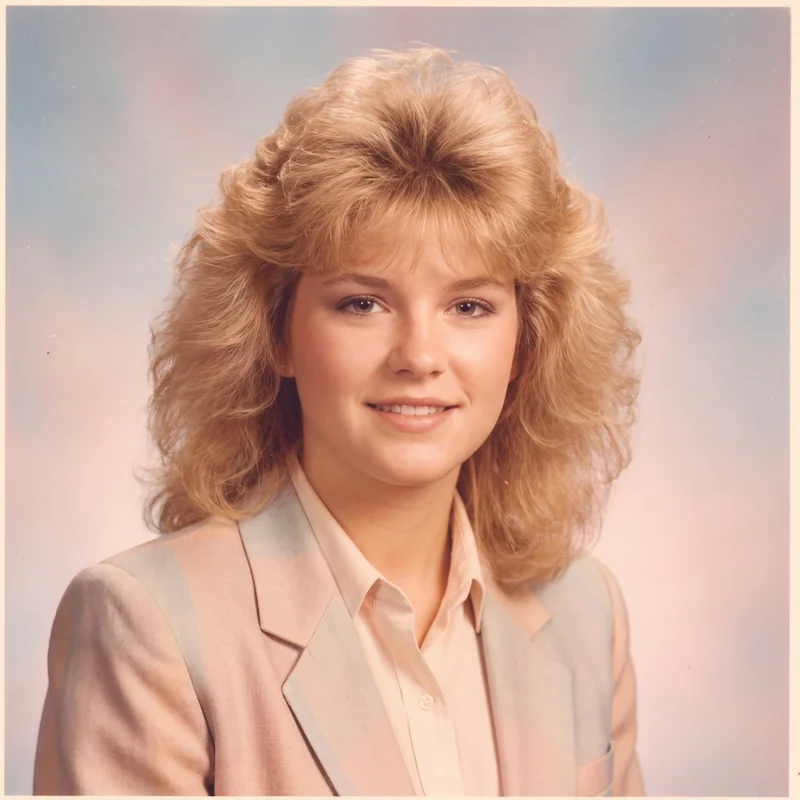
Soft focus, warm color, feathered hair, and a pastel gradient background for an unmistakable 1980s school portrait.
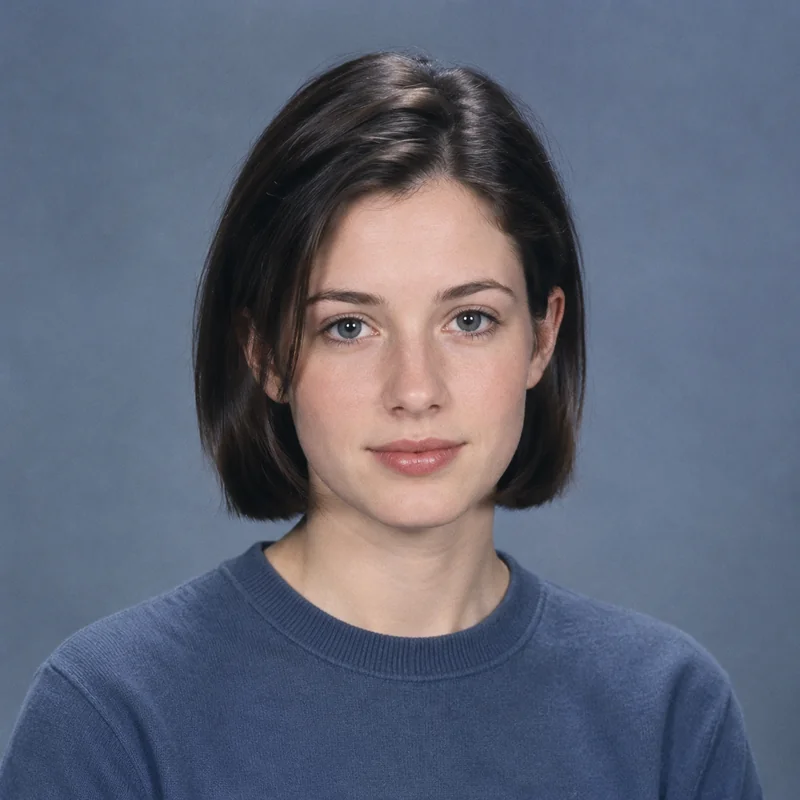
Sharp focus, cooler tones, simple styling, and a solid gray or blue background for a clean 1990s yearbook look.
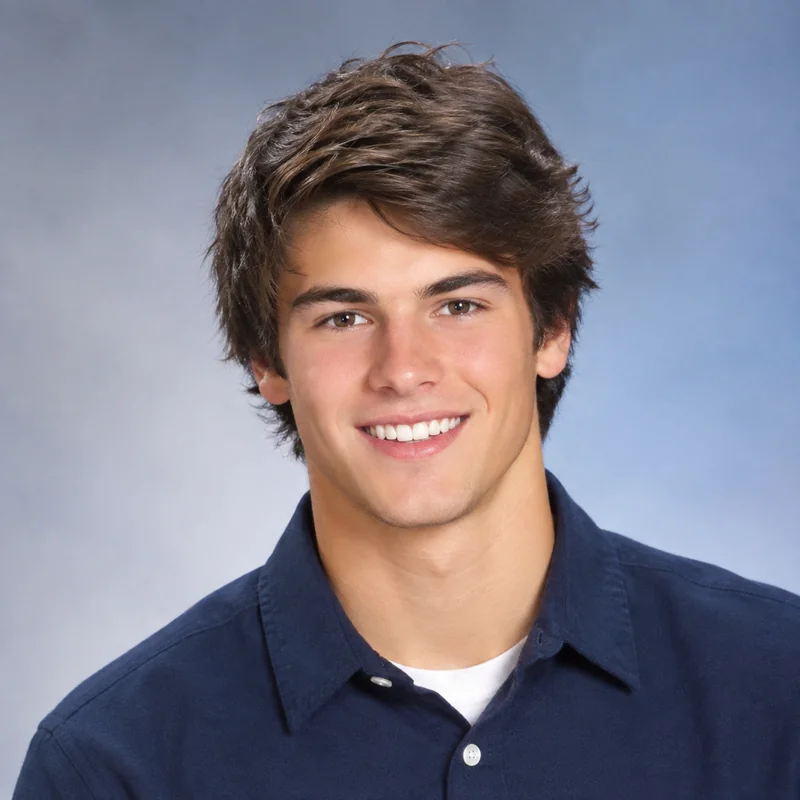
Natural light, contemporary styling, and a gradient background with the straightforward feel of an early digital camera.
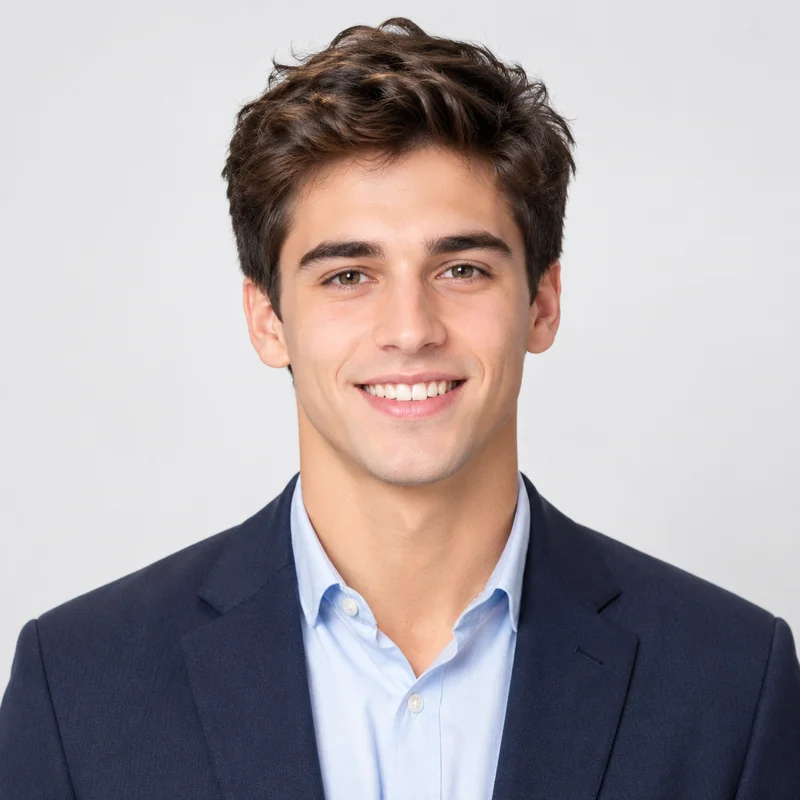
Clean studio lighting, a simple background, and business-casual styling for a current school or graduation portrait.
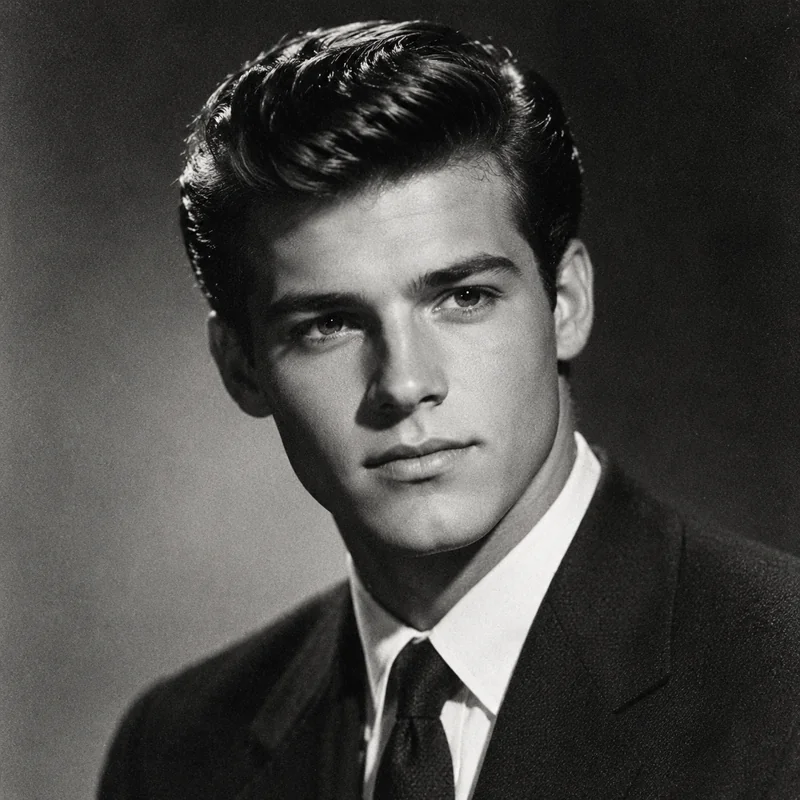
Black-and-white photography, dramatic light, formal clothing, and subtle film grain for a classic portrait feel.
Switch between five presets without learning a photo editor. The styles cover 80s, 90s, 2000s, modern, and vintage black-and-white yearbook portraits.
The interface estimates about 25 seconds for a generation. A progress indicator shows that the task is still running while the image is being processed.
The generation prompt asks the model to retain your face, expression, and pose while it applies the selected yearbook treatment. Results still depend on the source photo and model output.
Once the image is ready, the tool places the uploaded photo beside the generated result so you can review the change before downloading it.
Try a 90s, 2000s, or vintage yearbook look for a profile image on Instagram, TikTok, Facebook, or another social account.
Make a matching set of decade-style portraits for a reunion, throwback party, or school-themed event.
Use a consistent portrait style for fictional characters, presentations, mood boards, or other visual work.
Give a personal profile or portfolio a school-photo reference while keeping the source portrait recognizable.
Revisit an old school-photo idea or try the era you wish you had in your own yearbook.
Make a yearbook-style portrait for a friend, family member, or former classmate who enjoys retro photography.
It is an online yearbook photo maker that uses an uploaded portrait and a selected style to create a school-photo look. Choose an 80s, 90s, 2000s, modern, or vintage black-and-white preset, and the generator applies the matching lighting, background, and clothing cues.
There are five: 80s Classic, 90s Minimalist, 2000s Digital, Modern Professional, and Vintage B&W. Their prompts use different lighting, color, backgrounds, and clothing cues to give each portrait a separate period feel.
The prompt asks the model to keep your facial features, expression, and pose while changing the photographic treatment. A clear, well-lit source photo gives it the best chance of producing a recognizable result, but no image model can guarantee an exact match every time.
Upload a clear, well-lit portrait with your face visible. Front-facing and slight-angle photos work well. JPEG, PNG, and WebP files up to 5MB are supported; photos with heavy filters, extreme angles, or very low light may be harder to use.
Yes. The optional details field lets you mention clothing, expression, accessories, or hairstyle preferences. Keep the request short and specific so it is easy for the image model to follow.
The interface estimates about 25 seconds. Actual processing can vary, and a progress indicator remains visible while the task runs. When the result is complete, you can compare it with the source and download it.
You can upload a photo and choose a style before signing in. The Generate button asks you to sign in or create an account so the task, result, and Creation History entry can be linked to you.
Check two things first: you need permission to use the original photo, and your planned use must follow our Terms of Service. Review the generated image and the current terms before using it in marketing, a publication, or another paid project.
The tool gives you five yearbook presets plus an optional details field, so you can choose a specific era instead of applying one generic filter. Each preset describes its own lighting, background, clothing, and composition cues; the final image will still vary with the source photo and generation.
Try focused haircut, hairstyle, and hair-color changes on a portrait.
Change backgrounds, objects, colors, outfits, lighting, and styles.
Use a broader high-resolution generation and image-editing workflow.
Open completed, processing, and failed image tasks from your account.
Uploaded images and prompts are processed to provide the requested generation. Do not upload confidential, unlawful, or unlicensed material. Treat generated results as creative previews.
Read the Privacy Policy